
Event budget and controlling
Event budget and cost control: plan, actuals and forecast for every event
Set up costs and income by category. Evnty holds fees, commitments, invoices and approved hours against the plan and shows the result and break-even before the doors open.
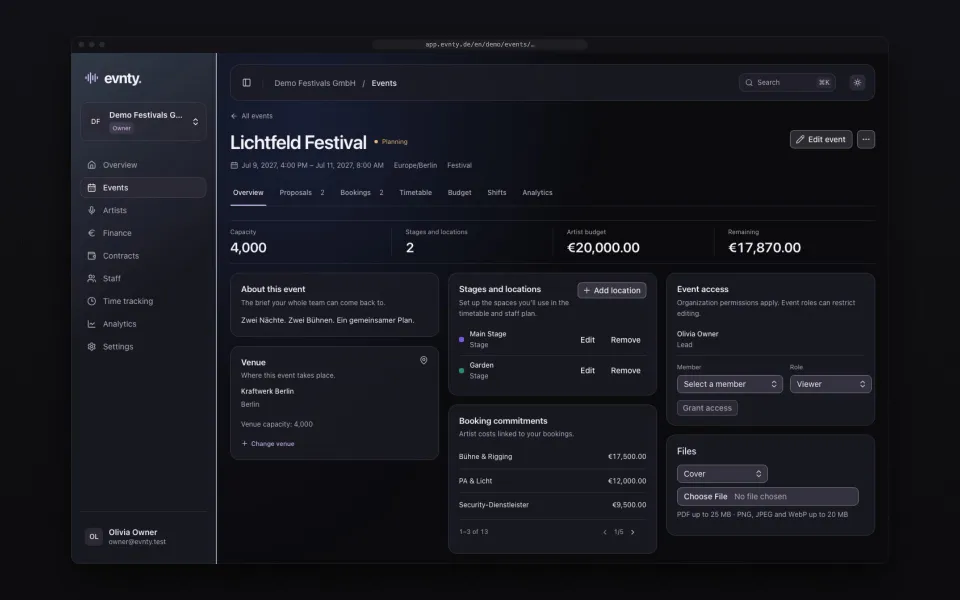
At a glance
- 01Budget lines with planned, committed and actual amounts, by category and event
- 02Traffic light per line and category, alerts at 90 % and 100 %, thresholds adjustable
- 03Result, forecast and break-even from income and costs
- 04Frozen baselines to compare against the outcome
- 05Due lines without an invoice get flagged, with a daily email digest
- 06Export as a PDF budget report and as CSV
01Budget lines that fit events
An event budget in Evnty is made of cost and income lines. Each line has a category, a planned amount, committed and actual costs, a tax rate, a due date, a responsible person, a vendor and a status: planned, committed, invoiced, paid or cancelled.
The built-in categories cover the usual items: artists, venue, ticketing, production, staff, security, marketing, hospitality, travel, licensing, insurance, permits and deco on the cost side, tickets, bar, sponsoring and merch on the income side. You add your own categories in the settings.
Whether you budget net or gross is set once for the organisation. Allocations and variances follow that basis.
02What's already decided is already in the budget
Many numbers you never type in. Confirmed bookings add fee, travel, hotel and levies as lines (artist booking). Approved hours from time tracking flow into the staff line as actual cost. Invoices from uploads or SevDesk are allocated to one or more lines in invoice matching.
One invoice can be split across several lines and even several events, and one line can collect any number of documents. Evnty makes sure nothing is allocated beyond the invoice amount.
03Plan, actuals and forecast at a glance
Every line and every category shows a traffic light: on track, warning, over or unplanned. The organisation sets the thresholds. By default a warning starts at 90 % of plan and red at 100 %.
Above the table sit the event's key figures: planned and actual costs, forecast, income, the expected result and the break-even, meaning how much of the expected costs your income already covers.
- 01Plan vs actual per category, with a cumulative line
- 02Budget burn as a gauge
- 03Forecast by category as a donut chart
04Baselines: lock in the plan
Before the event you freeze an approved state as a baseline. Later the budget table compares the current plan with any saved baseline. After the festival you see where and why it got more expensive, instead of laying two versions of a spreadsheet side by side.
05Due dates nobody forgets
When a line has a due date and no actual amount is allocated after it, Evnty flags it as overdue. The responsible person gets a daily email digest and an in-app notification.
06Reports for partners and shareholders
You export the current state as a PDF budget report for partners, shareholders or funders, or as CSV for your own analysis. Roles decide who sees, edits and approves the budget. Everyone in the event sees changes immediately.
Guides on this topic
Guide · Budget
Festival budget
Categories, buffer, committed versus actual costs and the break-even point.
Guide · Booking
Artist booking workflow
Request, hold, offer, deal types, contract, rider, advancing and settlement.
Event budget questions
More features
Artist booking and line-up
Artist booking
Proposals and team votes, a booking board from hold to contract, a timetable per stage.
Crew scheduling
Crew scheduling
Shifts per position, suggestions by qualification and availability, warnings for rest periods and mini-job limits.
Time tracking
Time tracking
Clock in on the portal or a kiosk, even offline, with ArbZG and MiLoG checks, month close and a customs export.
Invoices and SevDesk
Invoices and SevDesk
Documents from SevDesk, uploads or manual entry, with matching suggestions and receipt recognition.
Next event already in the calendar?
Put it in Evnty: line-up, budget and the first shift. The team fills in the rest when it's time.