
For event agencies
Software for event agencies: many client events, one overview
An agency runs many events side by side, for different clients, with freelancers and a budget the client has approved. Evnty gives every event its own budget, access and shift plan, and shows across all of them what is due.
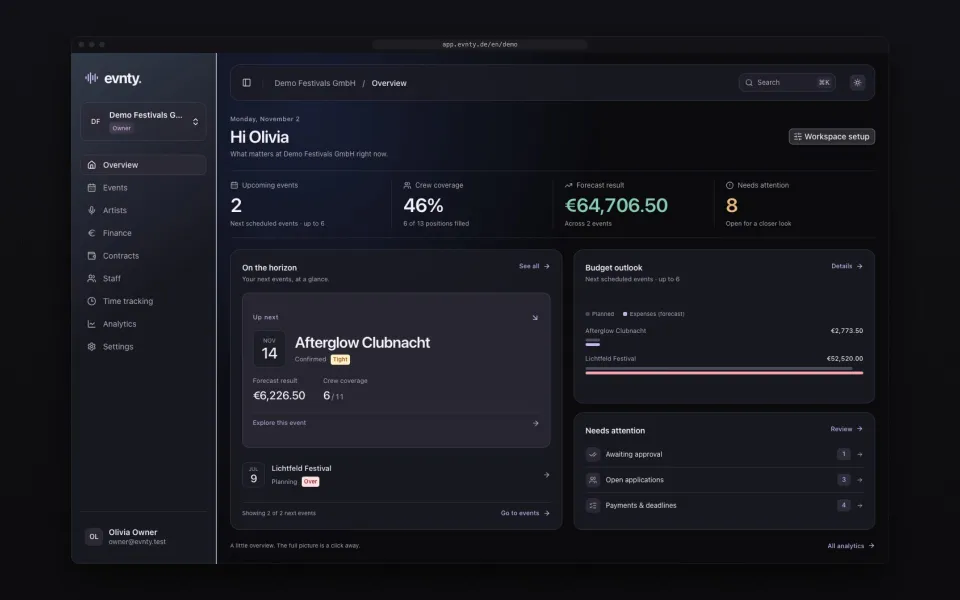
At a glance
- 01A budget per client event, with a baseline for the approved plan
- 02Access per event: restricted events only appear for their project team
- 03Invoices matched through SevDesk cost centres or tags per event
- 04One invoice split across several events and budget lines
- 05Shift plans for freelancers and employees, with the checks that fit each
- 06PDF budget report and CSV export per event
01Every client event on its own
Each event has its own budget, line-up, shift plan and documents. You decide per event who can see and edit it, and restricted events don't even appear in other people's lists. Roles such as finance, booking and HR give each person the access their job needs, and the viewer role reads without changing anything.
02The approved budget as a baseline
Agency budgets get approved, then they move. In Evnty you freeze the approved state as a baseline and later compare the current plan with it, line by line. Planned, committed and actual costs, the forecast and the traffic light per category show early where an event runs over.
Whether you budget net or gross is set once for the organisation. The PDF budget report gives the client or your management the current state, and CSV goes into your own analysis. Details under event budget.
03Cost centres per event
Many agencies already book by cost centre. You link each event to one or more SevDesk cost centres or tags, and expense documents with them land on the event. Evnty suggests the matching budget line by vendor, amount and due date. A technology invoice that covers two events is split across both, never beyond the invoice amount.
Due lines without an invoice are flagged, with a daily digest to the person responsible. More under invoice matching.
04Freelancers and your own staff
Agency crews are mixed: freelancers, working students, mini-jobbers and permanent staff. Evnty plans shifts per position and applies the checks that fit each employment type. Freelancers are exempt from the minimum-wage check; for employees Evnty checks rest periods, maximum hours and the mini-job limit. Published shifts go to the staff portal, where people accept or decline. See crew scheduling.
05Formats that come back
An annual conference, a roadshow, the summer party every year: you duplicate the last edition or save it as an event series. Stages, budget structure and the shift skeleton come along, bookings and invoices don't. Acts and speakers stay in the artist database with their history.
06The agency's own fixed costs
Office rent, insurance and software keep running between projects. The contract register records term, notice period and auto-renewal and reminds you before every deadline. The fixed-cost dashboard compares, month by month, what is due with the documents that arrived.
07What Evnty does not do
Evnty manages the costs and the production of an event. Quotes and invoices to your clients stay in your accounting software. Evnty reads documents from SevDesk and writes nothing back.
The features behind it
Event budget and controlling
Event budget
Categories, plan vs actual, forecast and break-even per event, with alerts and a PDF report.
Invoices and SevDesk
Invoices and SevDesk
Documents from SevDesk, uploads or manual entry, with matching suggestions and receipt recognition.
Crew scheduling
Crew scheduling
Shifts per position, suggestions by qualification and availability, warnings for rest periods and mini-job limits.
Artist booking and line-up
Artist booking
Proposals and team votes, a booking board from hold to contract, a timetable per stage.
Questions from event agencies
More solutions
For festivals
Festivals
Several stages, a large crew and a budget that moves: timetable, shifts, offline clocking in and budget control.
For clubs
Clubs
A night every weekend: residents and guests, bar and door shifts, hours under MiLoG and fixed costs in view.
For promoters
Promoters
Shows in rented venues: deals, a budget per show with break-even, KSK and § 50a, invoices by show.
Next event already in the calendar?
Put it in Evnty: line-up, budget and the first shift. The team fills in the rest when it's time.